Finding the right study music can make it easier to settle into a study routine. YouTube offers everything from lo-fi beats and classical music to ambient soundscapes and nature sounds. The best choice depends on your preferences and the kind of work you're doing.
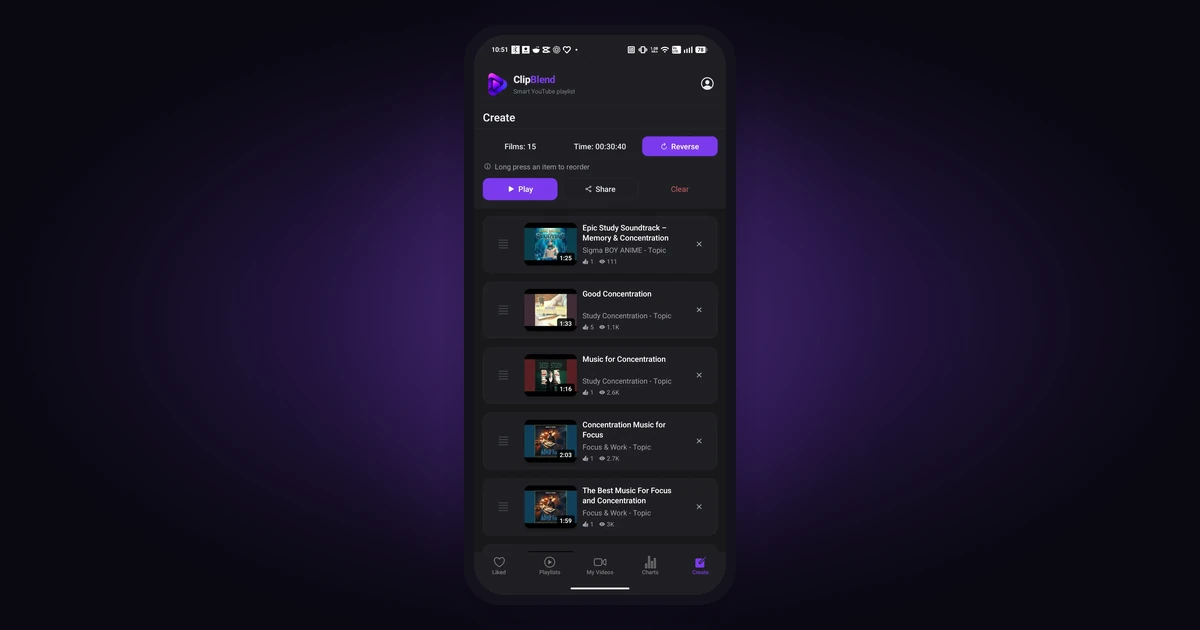
If you already have favorite music videos on YouTube, you can organize them into a listening session with ClipBlend for Android. The app helps you browse supported collections, find videos by title or channel, and select the ones you want to play together.
In this guide, you'll learn which types of music to try, how to find study music on YouTube, and how to organize your favorites into a temporary playlist.
How to Choose Study Music
Different types of music can suit different study tasks. Experiment with a few styles to find what works for you.
Lo-Fi Beats
Lo-fi beats are a popular choice for studying because they often combine relaxed rhythms with minimal vocals. They can provide background sound without demanding too much attention.
If you're looking for chill music for study, try searching YouTube for:
lo-fi beats for studyingchill study musiclo-fi hip hop radiorelaxing beats for focus
Try instrumental mixes if lyrics tend to distract you.
Classical and Instrumental Music
Classical music, piano pieces, and other instrumental tracks are alternatives to beat-driven music. You can try slower compositions when working on reading or writing, or more energetic instrumental music when completing routine tasks.
Search YouTube for:
classical music for studyingpeaceful piano musicinstrumental music for concentrationsoft piano study playlist
There is no single style that works for everyone, so experiment with different composers, instruments, and tempos.
Ambient Music and Nature Sounds
Ambient music creates a background atmosphere without necessarily following a prominent melody or beat. Rain, ocean waves, forest sounds, and other nature recordings can also provide a consistent sound environment.
These options may be worth trying if you prefer music without a strong rhythm.
Search YouTube for:
ambient music for studyingrain sounds for studyingpeaceful nature soundssoft ambient background music
Video Game Soundtracks
Instrumental video game soundtracks are another option. Some are designed to accompany long periods of gameplay without constantly drawing attention away from the action.
You might enjoy them while studying, coding, or working on repetitive tasks.
Try searches such as:
video game music for studyingrelaxing game soundtracksinstrumental gaming musicvideo game music mix for focus
Choose soundtracks that suit your preferences and the task at hand.
How Long Should Your Study Music Playlist Be?
The right playlist length depends on how long you plan to study and whether you prefer breaks between sessions.
- Short review session: Start with 3–5 tracks or one short mix, enough to accompany a brief revision period.
- Focused study block: Prepare enough music for approximately 45 minutes, then take a break if needed.
- Long study session: Choose more tracks or longer mixes so you don't have to interrupt your work to find something new.
You don't need to build one enormous playlist for every occasion. A small selection of familiar tracks can be enough for a particular subject, task, or study session.
Find and Organize Study Music with ClipBlend
You can discover music directly on YouTube, then organize your favorites with ClipBlend. The important first step is to save the videos you want to use in a collection the app supports.
Find Music on YouTube First
Search YouTube for lo-fi beats, instrumental music, ambient sounds, or any other style you prefer. Listen to a few options and choose the videos that fit your study routine.
Before using ClipBlend, like the study music videos you want to use on YouTube or add them to one of your own YouTube playlists. These videos can then appear in the relevant collection after it is synchronized in ClipBlend.
For more details about finding your saved videos, see our guide to finding liked videos on YouTube.
Search, Filter, and Sort Your Videos
Once your collection is available in ClipBlend, you can search for specific videos by title or channel instead of scrolling through the entire list.
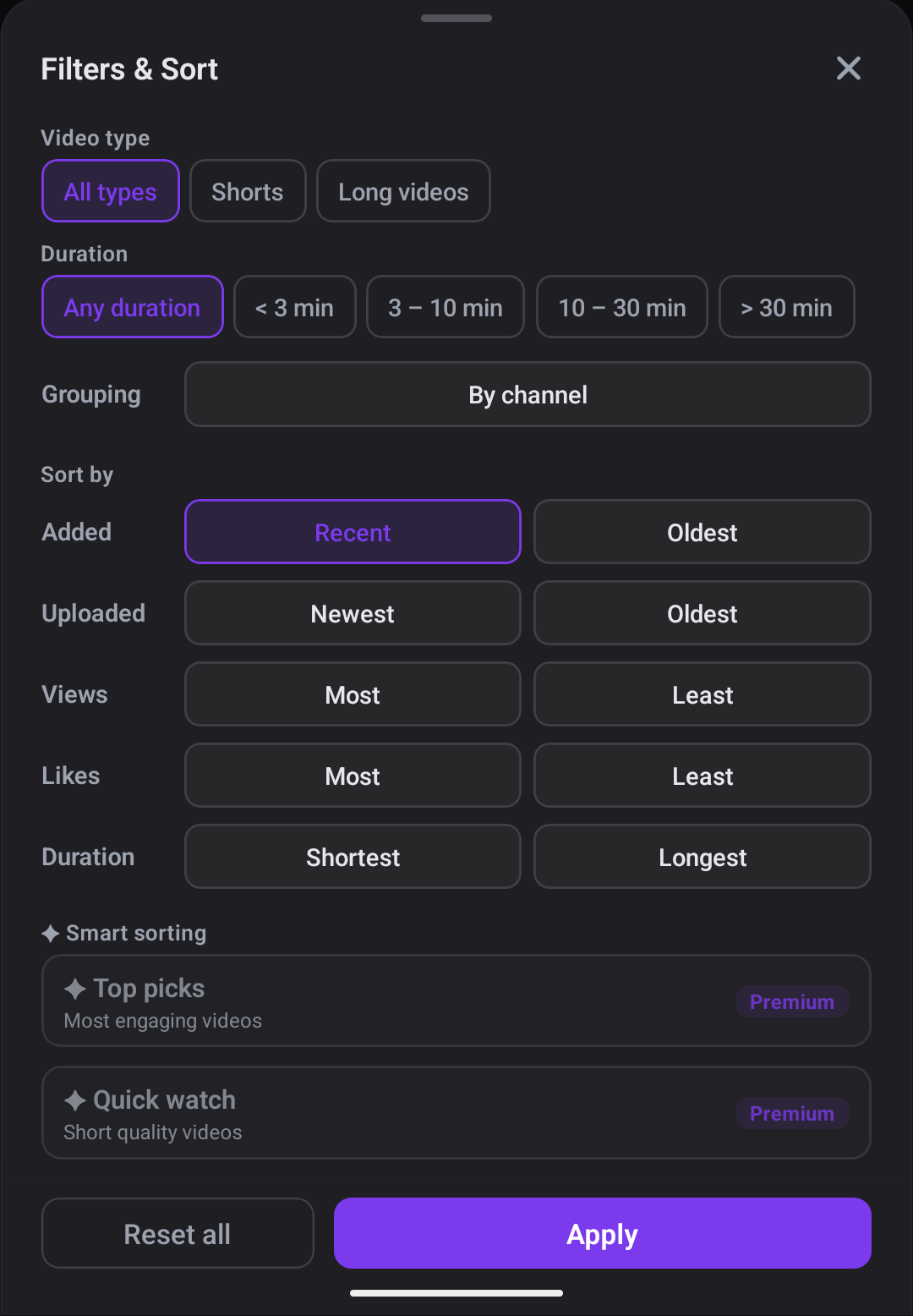
You can also filter videos by type or duration, group them by channel, and sort them using available video details.
These tools can help you narrow down your saved videos and find the music you want for a particular study session.
How to Create a Study Music Playlist with ClipBlend
After saving and synchronizing your chosen music videos, you can select the ones you want to play together.
- Save your music videos on YouTube. Like the videos you enjoy or add them to one of your own playlists.
- Open ClipBlend on Android. Synchronize the relevant collection so your saved videos are available in the app.
- Find the tracks you want. Search by title or channel, or browse and filter your videos.
- Select your favorites. Choose the music videos that fit the study session you're preparing.
- Create a temporary playlist. Open the Create tab and prepare a playlist from your selected videos.
- Start listening. Play your selection through YouTube and focus on your work.
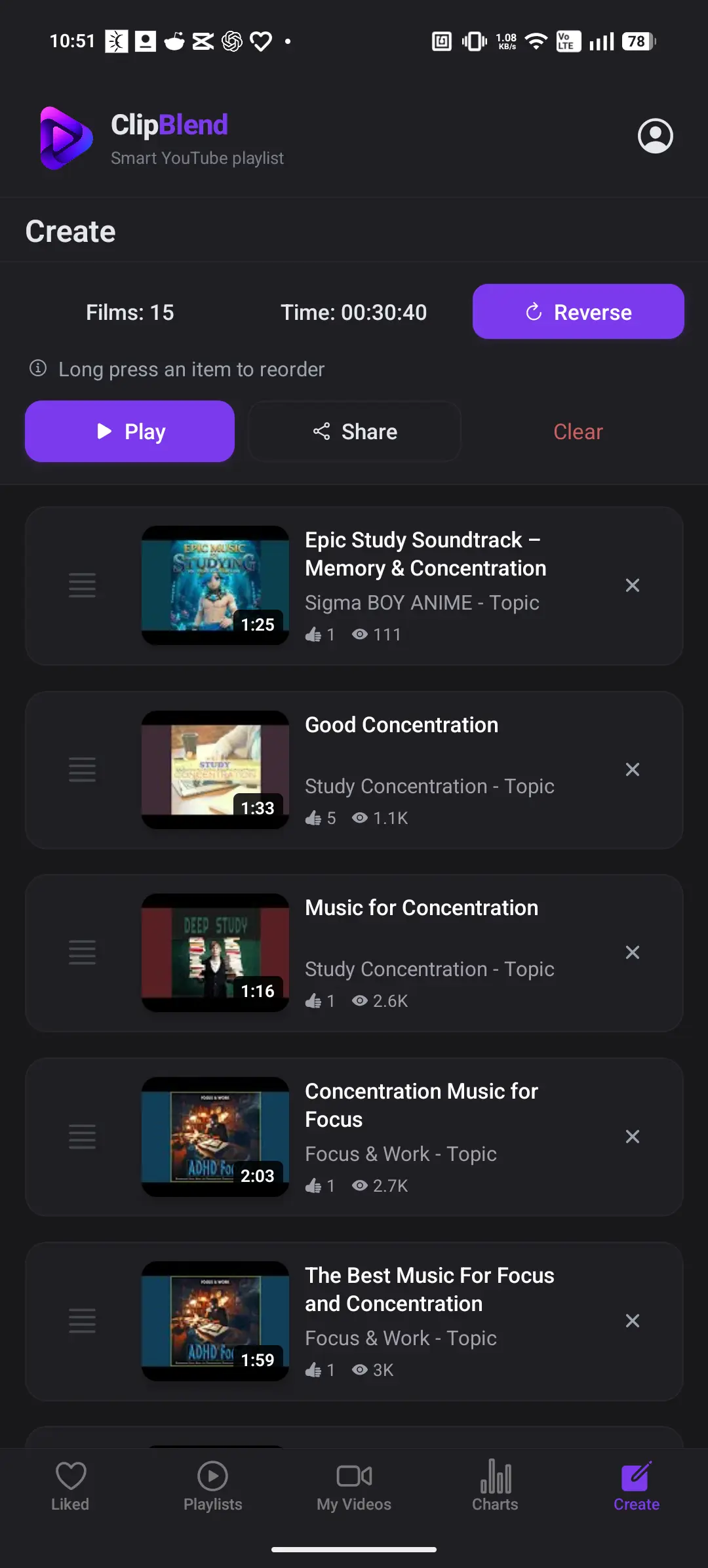
A temporary playlist is useful when you want to combine a particular selection of videos without creating another permanent playlist in your YouTube account.
For a more detailed walkthrough, read our guide to creating a temporary YouTube playlist.
Temporary vs. Permanent YouTube Playlists
A permanent YouTube playlist is useful when you want to save a collection to your account and return to it later.
A temporary playlist in ClipBlend serves a different purpose: it lets you select videos for a particular listening session without creating a new permanent YouTube playlist for that occasion.
For example, you could prepare one selection for reading, another for coding, and a third for a short revision session. You can choose the videos you need without having to maintain a separate permanent playlist for every activity.
If you want to save a playlist permanently on YouTube, follow our guide on how to create a playlist on YouTube.
Tips for a Better Study Music Routine
- Keep the volume low. Background music should stay in the background. If you find yourself paying more attention to the music than your work, turn it down.
- Try instrumental tracks when reading. Lyrics can compete with the words you're trying to understand, especially when studying a text-heavy subject.
- Notice what helps you focus. Experiment with different styles and keep the ones that work best for you. You don't have to listen to music during every study session.
Frequently Asked Questions
What is the best study music?
There is no universal answer. Lo-fi beats, classical music, ambient sounds, nature recordings, and instrumental soundtracks are all worth trying. Choose the style that helps you concentrate without distracting you.
How do I find chill music for study on YouTube?
Search for phrases such as chill study music, lo-fi beats for studying, or relaxing instrumental music. Listen to a few options, then like the videos you want to revisit or add them to one of your own YouTube playlists.
Can I create a study music playlist with ClipBlend?
Yes. ClipBlend for Android lets you select videos from supported, synchronized collections and prepare a temporary playlist. First, like the videos on YouTube or add them to one of your own playlists, then synchronize the relevant collection in ClipBlend.
Does ClipBlend create a permanent YouTube playlist?
No. ClipBlend's temporary playlist feature lets you prepare a selection for playback without creating a permanent YouTube playlist. To save a playlist to your YouTube account, use YouTube's own playlist features.
Can I use my liked YouTube videos to prepare a study playlist?
Yes. Once your liked videos have been synchronized in ClipBlend, you can browse them, search for specific videos, and select the ones you want to include in a temporary playlist.
Is ClipBlend available on iPhone?
ClipBlend is currently available for Android. Check the Google Play listing for the current app details.
Can I listen to study music offline with ClipBlend?
ClipBlend organizes YouTube videos and prepares selections for playback; it does not download music videos for offline listening. Playback availability depends on YouTube and your connection.
Final Thoughts
The right study music can make it easier to settle into a routine, whether you prefer lo-fi beats, classical pieces, ambient sounds, or instrumental game soundtracks.
Start by finding music you enjoy on YouTube. Like the videos or add them to one of your own playlists, synchronize the relevant collection in ClipBlend, and select the tracks you want for your next study session.
Ready to organize your YouTube videos? Try ClipBlend for Android.
You may also like: