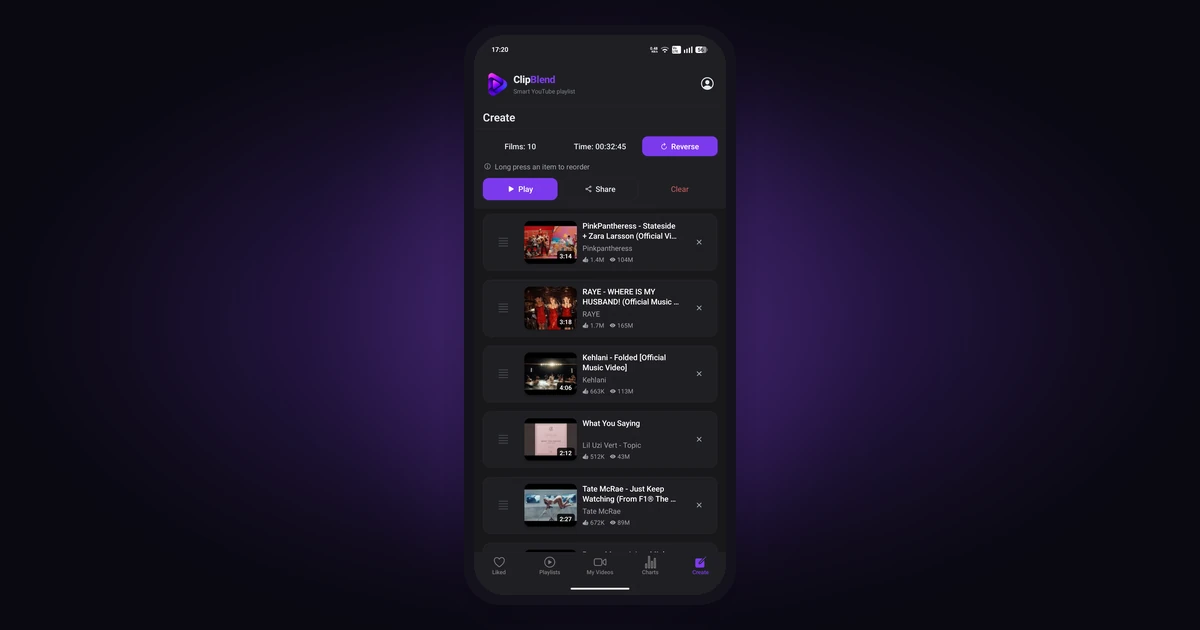
Have a hard time finding the right YouTube videos for your next run? You can bring your favorite music videos together in a temporary playlist instead of searching for them one by one.
ClipBlend for Android helps you organize YouTube videos across supported collections, search by title or channel, and select the videos you want. You can work with synchronized liked videos, your own YouTube playlists, and popular music videos available in the Charts tab.
In this guide, you'll learn how to find running music, organize your favorite videos, and prepare a playlist for your next workout.
Find Music for Your Next Run
Start by searching YouTube for songs, artists, or mixes that fit your preferences. Try searches such as:
- Running music playlist
- Upbeat music for running
- Workout music playlist
When you find videos you want to revisit, like them or save them to a YouTube playlist. If you've already built a collection of favorite songs and music videos, you can organize that collection instead of starting from scratch.
Find and Organize Music Videos in ClipBlend
Open ClipBlend on your Android device and choose the collection you want to explore. You can work with synchronized liked videos, your own YouTube playlists, or popular music videos in the Charts tab.
If you need help locating videos you've liked, see How to Find and Search Your Liked Videos on YouTube.
Search by Video Title or Channel
Remember the song title or artist but don't want to scroll through a long list? Use ClipBlend's search to find videos by title or channel.
For example, search for a song title if you remember the track, or search for a channel to browse videos from a particular artist or creator.
Filter, Group, and Sort Your Videos
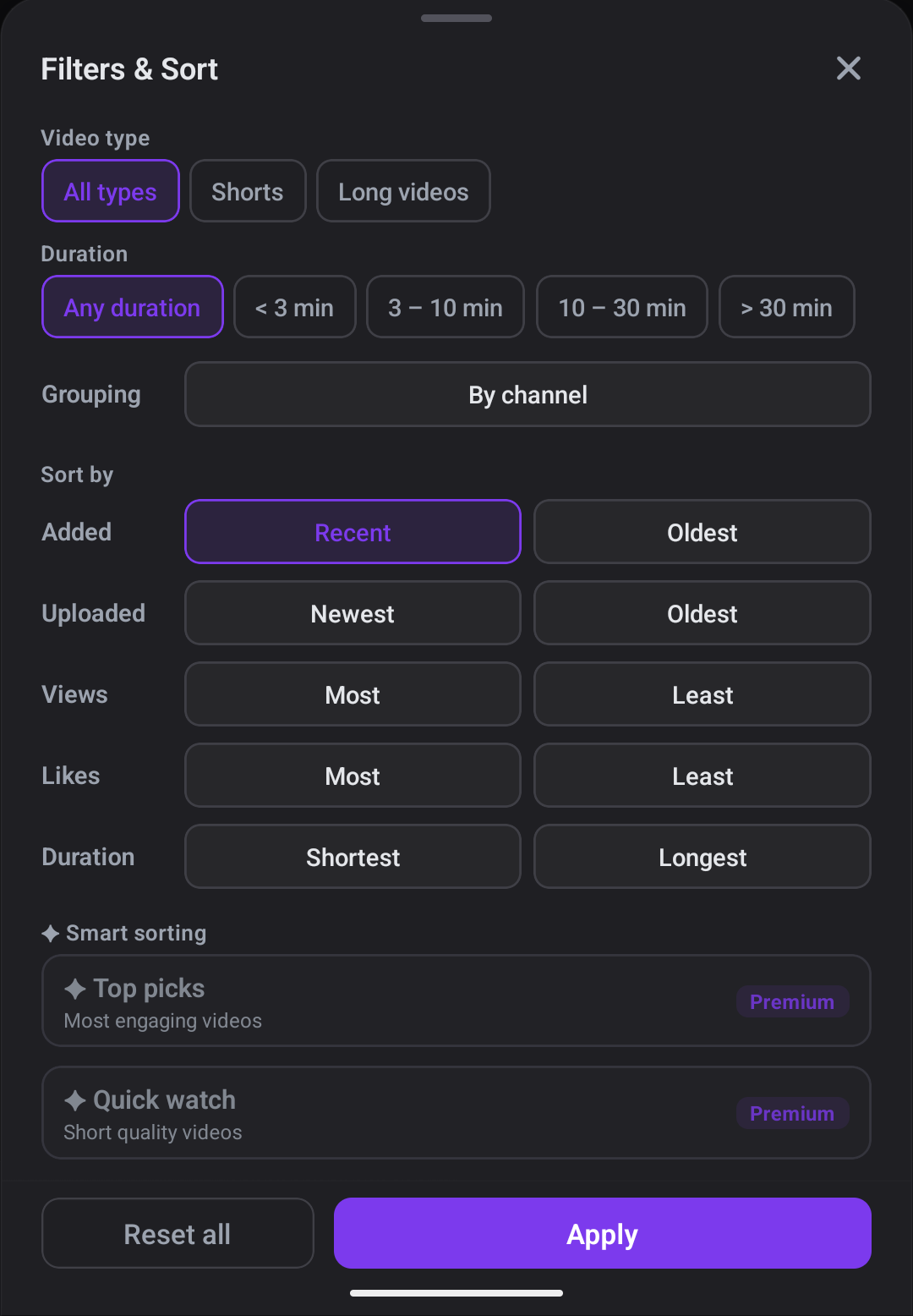
ClipBlend's Filters & Sort panel lets you narrow down your collection.
You can filter videos by duration:
- Less than 3 minutes
- 3–10 minutes
- 10–30 minutes
- More than 30 minutes
You can also filter by video type, including Shorts and long videos.
To organize your collection further, group videos by channel or sort them by:
- Added: recent or oldest
- Uploaded: newest or oldest
- Views: most or least
- Likes: most or least
- Duration: shortest or longest
For example, if you're preparing a playlist for a run, you could focus on videos between 3 and 10 minutes, group them by channel to browse music from the same artist, and select around 12 videos for your session.
How to Create a YouTube Running Playlist with ClipBlend
Finding music for your run is one thing. Collecting the videos you want for a particular workout can take additional time if you have to search for each one whenever you go running.
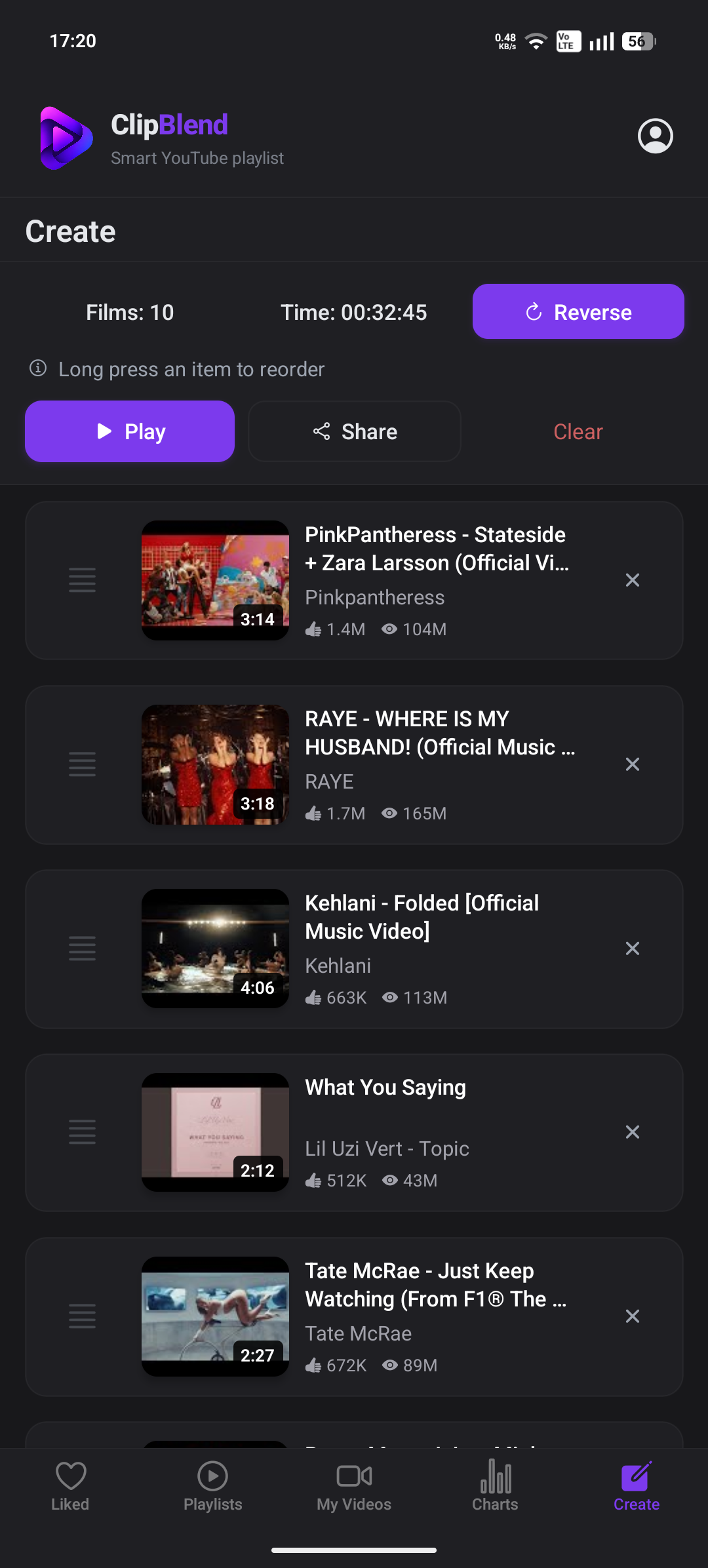
ClipBlend for Android lets you select videos from supported collections and prepare a temporary playlist for your next session.
Here's how to do it:
- Open ClipBlend on your Android device.
- Choose a collection. Browse your synchronized liked videos, your own YouTube playlists, or available music videos in Charts.
- Find the videos you want. Search by song title or channel, or use filters to narrow down your collection.
- Select your videos. Choose the songs and music videos you want for your running session.
- Open the Create tab. Review your selection and prepare your temporary playlist.
- Play your selection. Open the playlist in YouTube and start listening.
You can prepare a different selection whenever you want to change your music. This lets you organize videos for a particular session without creating another permanent playlist in your YouTube account.
For more details, read What Is a Temporary YouTube Playlist? How to Create One.
Permanent vs. Temporary Playlists
YouTube playlists are useful for saving music you want to revisit. ClipBlend temporary playlists offer another way to select videos for a particular session without creating a permanent playlist in your YouTube account.
If you want to create a regular playlist in YouTube, see How to Create a Playlist on YouTube.
Tips for Your Running Music Playlist
Choose your videos in advance. Prepare your selection before heading outside so you don't have to spend time searching while running.
Check playback before you leave. Confirm that your selected videos are accessible and that playback works as expected on your device.
Stay aware of your surroundings. When running outdoors, keep the volume at a level that lets you hear important sounds, including traffic and other people. Follow local rules about headphone use.
Frequently Asked Questions
How do I create a running music playlist on YouTube?
Search YouTube for songs, artists, or workout music mixes, then save videos to a new or existing YouTube playlist. Alternatively, use ClipBlend for Android to select videos from supported collections and organize them into a temporary playlist.
Does ClipBlend save a permanent playlist to my YouTube account?
No. The playlist created through this workflow is temporary. It helps you organize and play a selection of videos without creating a permanent playlist in your YouTube account.
What is the Charts tab in ClipBlend?
The Charts tab displays popular music videos from supported regional chart playlists. You can select videos from the available collection for your own temporary playlist.
Is ClipBlend available on iPhone?
ClipBlend is currently available for Android. Check the Google Play listing for current app information.
Can I listen to a ClipBlend playlist offline?
A temporary playlist in ClipBlend does not itself download videos for offline playback. Availability depends on YouTube's own playback options and the content you're watching.
Final Thoughts
YouTube helps you discover and save music, while ClipBlend lets you organize supported video collections and select videos for a temporary running playlist.
Search by title or channel, choose the videos you want, and prepare your selection before your next run.
You may also like: